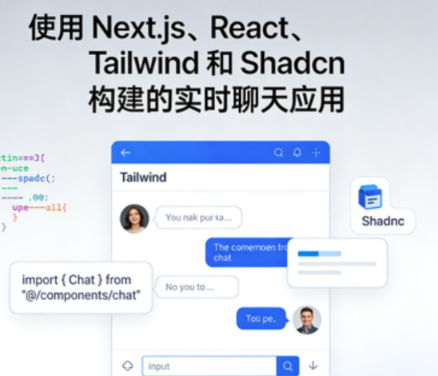
使用 Next.js、React、Tailwind 和 Shadcn 构建的实时聊天应用资源简介:
课程目录:
├─1. Introduction
│ 1. Introduction.en.srt
│ 1. Introduction.en_CN.srt
│ 1. Introduction.mp4
│ 2. Before we begin.html
│ 2.1 realtime-chat-app.zip
│
├─10. Read receipts
│ 1. Backend for read receipts.en.srt
│ 1. Backend for read receipts.en_CN.srt
│ 1. Backend for read receipts.mp4
│ 2. Adding read receipts to conversations.en.srt
│ 2. Adding read receipts to conversations.en_CN.srt
│ 2. Adding read receipts to conversations.mp4
│ 3. Showing unseen messages count.en.srt
│ 3. Showing unseen messages count.en_CN.srt
│ 3. Showing unseen messages count.mp4
│
├─11. Build & Deploy
│ 1. Build & deploy to Vercel.en.srt
│ 1. Build & deploy to Vercel.en_CN.srt
│ 1. Build & deploy to Vercel.mp4
│ 2. Adding a custom domain.en.srt
│ 2. Adding a custom domain.en_CN.srt
│ 2. Adding a custom domain.mp4
│
├─12. Emoji picker
│ 1. Creating attachments popover.en.srt
│ 1. Creating attachments popover.en_CN.srt
│ 1. Creating attachments popover.mp4
│ 2. Adding the emoji picker.en.srt
│ 2. Adding the emoji picker.en_CN.srt
│ 2. Adding the emoji picker.mp4
│ 3. Connecting emoji picker to chat input.en.srt
│ 3. Connecting emoji picker to chat input.en_CN.srt
│ 3. Connecting emoji picker to chat input.mp4
│
├─13. File upload
│ 1. Setting up uploadthing.en.srt
│ 1. Setting up uploadthing.en_CN.srt
│ 1. Setting up uploadthing.mp4
│ 2. Adding imagevideofile uploads.en.srt
│ 2. Adding imagevideofile uploads.en_CN.srt
│ 2. Adding imagevideofile uploads.mp4
│ 3. Rendering image and video messages.en.srt
│ 3. Rendering image and video messages.en_CN.srt
│ 3. Rendering image and video messages.mp4
│ 4. Rendering file messages.en.srt
│ 4. Rendering file messages.en_CN.srt
│ 4. Rendering file messages.mp4
│
├─14. AudioVideo call
│ 1. LiveKit setup.en.srt
│ 1. LiveKit setup.en_CN.srt
│ 1. LiveKit setup.mp4
│ 2. Rendering audiovideo calls.en.srt
│ 2. Rendering audiovideo calls.en_CN.srt
│ 2. Rendering audiovideo calls.mp4
│ 3. Rendering call status.en.srt
│ 3. Rendering call status.en_CN.srt
│ 3. Rendering call status.mp4
│
├─15. Publishing Progressive Web App
│ 1. PWA and manifest setup.en.srt
│ 1. PWA and manifest setup.en_CN.srt
│ 1. PWA and manifest setup.mp4
│ 2. Metadata and Next config setup.en.srt
│ 2. Metadata and Next config setup.en_CN.srt
│ 2. Metadata and Next config setup.mp4
│ 3. Build and deploy to desktop and mobile.en.srt
│ 3. Build and deploy to desktop and mobile.en_CN.srt
│ 3. Build and deploy to desktop and mobile.mp4
│
├─2. Project Setup
│ 1. NextJS Project Setup.en.srt
│ 1. NextJS Project Setup.en_CN.srt
│ 1. NextJS Project Setup.mp4
│ 2. shadcnui Setup.en.srt
│ 2. shadcnui Setup.en_CN.srt
│ 2. shadcnui Setup.mp4
│
├─3. NextJS Basics (optional)
│ 1. Introduction to NextJS.en.srt
│ 1. Introduction to NextJS.en_CN.srt
│ 1. Introduction to NextJS.mp4
│ 2. Routing in NextJS.en.srt
│ 2. Routing in NextJS.en_CN.srt
│ 2. Routing in NextJS.mp4
│ 3. Client vs Server components.en.srt
│ 3. Client vs Server components.en_CN.srt
│ 3. Client vs Server components.mp4
│
├─4. Database & Auth setup
│ 1. Convex DB Setup.en.srt
│ 1. Convex DB Setup.en_CN.srt
│ 1. Convex DB Setup.mp4
│ 2. Clerk Auth Setup.en.srt
│ 2. Clerk Auth Setup.en_CN.srt
│ 2. Clerk Auth Setup.mp4
│ 3. Integrating Convex with Clerk.en.srt
│ 3. Integrating Convex with Clerk.en_CN.srt
│ 3. Integrating Convex with Clerk.mp4
│ 4. Storing user data in Convex DB.en.srt
│ 4. Storing user data in Convex DB.en_CN.srt
│ 4. Storing user data in Convex DB.mp4
│
├─5. Layout and Navigation
│ 1. Setting up frontend routes.en.srt
│ 1. Setting up frontend routes.en_CN.srt
│ 1. Setting up frontend routes.mp4
│ 2. Sidebar & adding navigation.en.srt
│ 2. Sidebar & adding navigation.en_CN.srt
│ 2. Sidebar & adding navigation.mp4
│ 3. Items list and conversation container.en.srt
│ 3. Items list and conversation container.en_CN.srt
│ 3. Items list and conversation container.mp4
│
├─6. Dark Mode
│ 1. Adding theme switching.en.srt
│ 1. Adding theme switching.en_CN.srt
│ 1. Adding theme switching.mp4
│
├─7. Adding Friends
│ 1. Backend for creating friend request.en.srt
│ 1. Backend for creating friend request.en_CN.srt
│ 1. Backend for creating friend request.mp4
│ 2. Add dialog for sending requests.en.srt
│ 2. Add dialog for sending requests.en_CN.srt
│ 2. Add dialog for sending requests.mp4
│ 3. Render list of requests.en.srt
│ 3. Render list of requests.en_CN.srt
│ 3. Render list of requests.mp4
│ 4. Showing pending request count.en.srt
│ 4. Showing pending request count.en_CN.srt
│ 4. Showing pending request count.mp4
│ 5. Deny friend request.en.srt
│ 5. Deny friend request.en_CN.srt
│ 5. Deny friend request.mp4
│ 6. Accept friend request.en.srt
│ 6. Accept friend request.en_CN.srt
│ 6. Accept friend request.mp4
│
├─8. Conversations
│ 1. Render list of conversations.en.srt
│ 1. Render list of conversations.en_CN.srt
│ 1. Render list of conversations.mp4
│ 2. Render active conversation.en.srt
│ 2. Render active conversation.en_CN.srt
│ 2. Render active conversation.mp4
│ 3. Chat input and sending messages.en.srt
│ 3. Chat input and sending messages.en_CN.srt
│ 3. Chat input and sending messages.mp4
│ 4. Rendering conversation messages.en.srt
│ 4. Rendering conversation messages.en_CN.srt
│ 4. Rendering conversation messages.mp4
│ 5. Render last message in conversations list.en.srt
│ 5. Render last message in conversations list.en_CN.srt
│ 5. Render last message in conversations list.mp4
│ 6. Removing friends.en.srt
│ 6. Removing friends.en_CN.srt
│ 6. Removing friends.mp4
│
└─9. Groups
1. Backend for creating groups.en.srt
1. Backend for creating groups.en_CN.srt
1. Backend for creating groups.mp4
2. Add dialog for creating groups.en.srt
2. Add dialog for creating groups.en_CN.srt
2. Add dialog for creating groups.mp4
3. Rendering groups in conversations list.en.srt
3. Rendering groups in conversations list.en_CN.srt
3. Rendering groups in conversations list.mp4
4. Delete group.en.srt
4. Delete group.en_CN.srt
4. Delete group.mp4
5. Leave group.en.srt
5. Leave group.en_CN.srt
5. Leave group.mp4




 MBA商学院
 IT学习教程网
 互联网项目
互联网项目 职场网
职场网